Still confused about NVMe, SATA SSD, and hard drives? We break down the technologies, speeds, and when to use each.
The three storage technologies
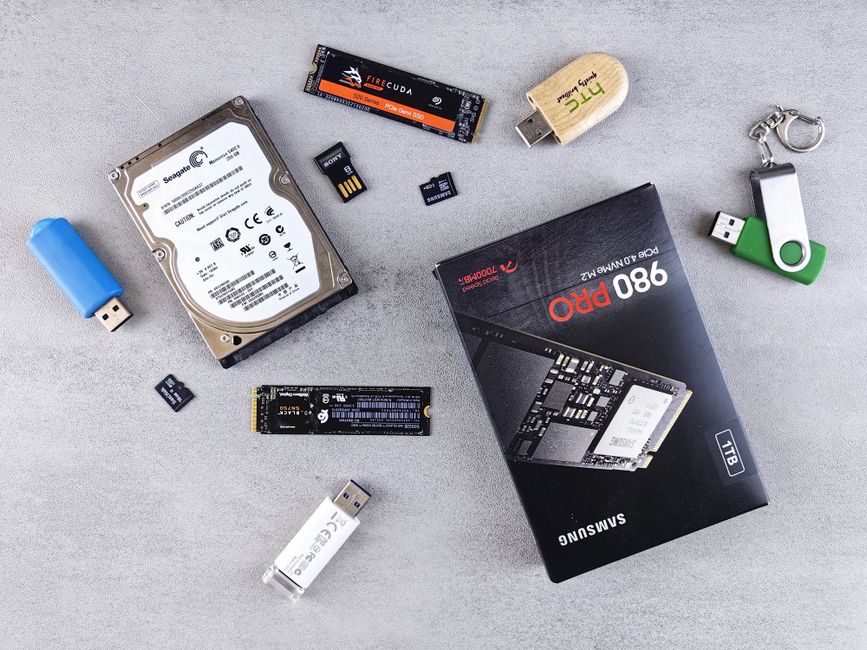
HDDs use spinning magnetic platters — slow (100-200 MB/s) but cheap per gigabyte, ideal for mass storage. SATA SSDs use flash memory with a 6Gbps interface — 5-10x faster than HDDs (500-550 MB/s), perfect for boot drives in older systems. NVMe SSDs use the PCIe bus directly — 10-30x faster than SATA (3,500-14,000 MB/s), the standard for all modern builds.
Real-world impact
Upgrading from an HDD to a SATA SSD reduces Windows boot time from 60 seconds to 15 seconds and makes every app feel snappier. Upgrading from SATA to NVMe cuts game load times by 30-50%. Upgrading from PCIe 3.0 to PCIe 4.0 NVMe is noticeable for large file transfers (4K video) but less so for everyday tasks. The jump from 4.0 to 5.0 is measurable in benchmarks but imperceptible in daily use.

The smart storage strategy
For a new build or laptop, use a 1TB or 2TB NVMe SSD as your primary drive for OS, apps, and games you play often. Add a 2-4TB HDD for bulk storage — photos, videos, and games you play occasionally. This gives you speed where it matters and capacity where it is cheap. External SSDs like the Samsung T7 (1,000 MB/s) are perfect for on-the-go storage and PS5 game expansion.
How much storage do you need?
256GB is only viable for a secondary device. 512GB is the minimum for a primary laptop. 1TB is comfortable for most users. 2TB is recommended for gamers (modern AAA games are 80-150GB each) and creators. 4TB+ for professionals with large media libraries. Remember: cloud storage is a backup, not a replacement — you want your files local and fast.
Our top storage picks
Internal NVMe: Samsung 990 Pro, WD Black SN850X, Crucial T700 (PCIe 5.0). External: Samsung T7 (best value), SanDisk Extreme Pro. HDD: Seagate IronWolf (NAS), WD Blue (desktop). All in stock at NovaTech with genuine warranty.
Arun Gupta
Storage Specialist at NovaTech Computer Store